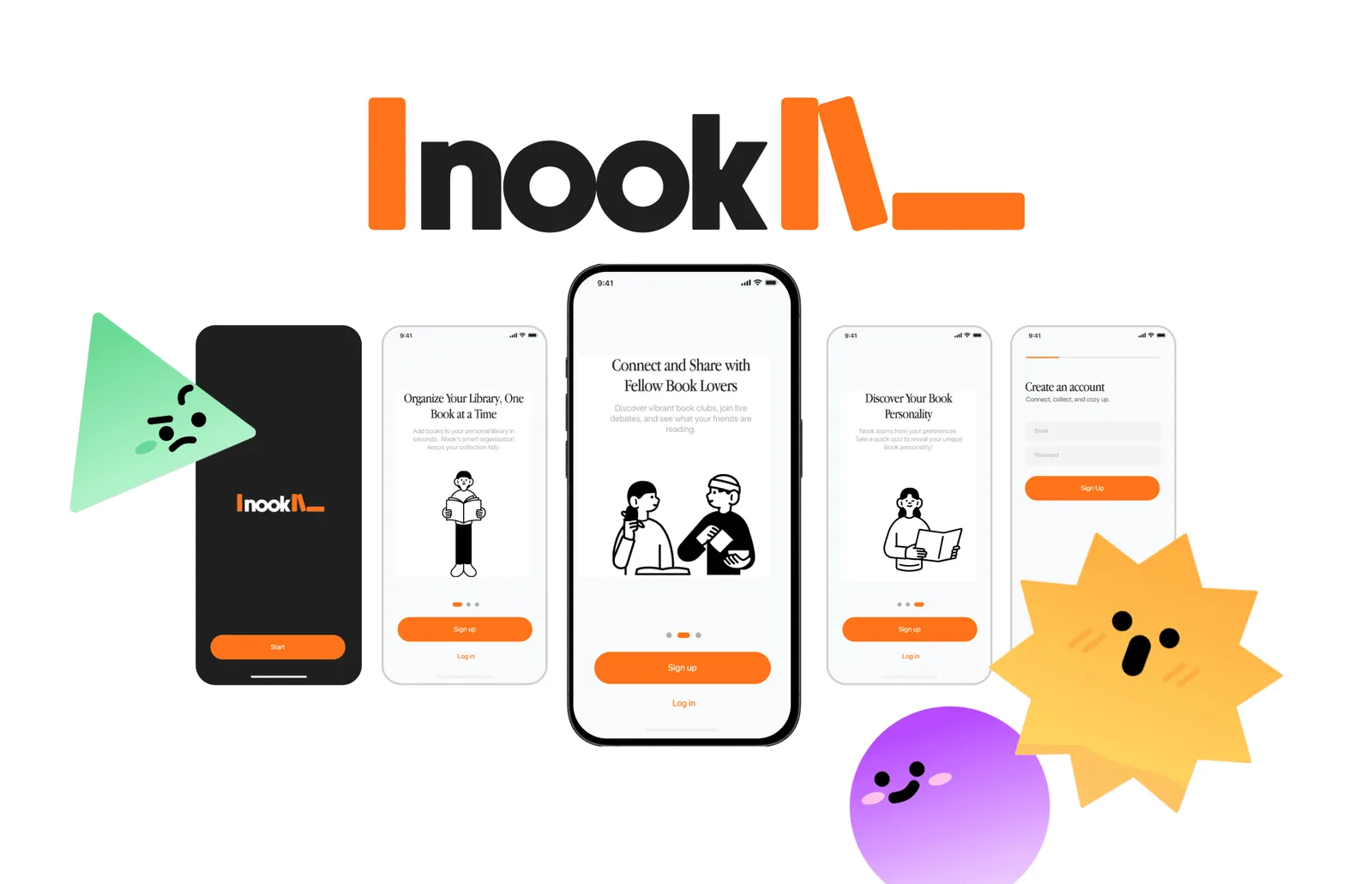
Nook is a concept mobile application that reimagines how readers interact with their books and communities. It blends the tactile charm of physical reading with the personalised connectivity of digital platforms, creating a warm, seamless ecosystem for book lovers.
CONTEXT
I was given the following brief for my final-year User Interfaces & Interactions module: create an IOT-enabled product and demonstrate its UX/UI capabilities.
In response, I designed Nook, an RFID-enabled reading companion that bridges the physical and digital worlds of reading. Each interaction, from placing a book into the user’s ‘nooks’ to marking progress with its smart bookmark, triggers subtle digital feedback through the connected app.
The system curates insights based on reading mood and habits, turning a solitary activity into a reflective, sensory experience. This project explores how UX/UI design can make IoT interactions feel calm, human, and emotionally engaging rather than purely functional.
PROBLEM
Current book apps feel like productivity tools rather than spaces for enjoyment. They:
- 📕 Require manual logging of physical books.
- 📘 Overemphasise trends rather than niche or personal interests.
- 📗 Offer limited, often unsafe online spaces for deeper discussion.
🤔 HMW seamlessly manage physical libraries while fostering meaningful, personalised literary communities?
RESEARCH PLAN
Competing digital mobile applications offering similar services were first benchmarked in order to identify strengths and weaknesses.
In order to fit the project scope, services that focus on integrated e-book reading within the app were excluded. Instead, the analysis focused on solutions that combine physical book management, community engagement, and automated tracking features. Ratings were obtained from user research surveys.
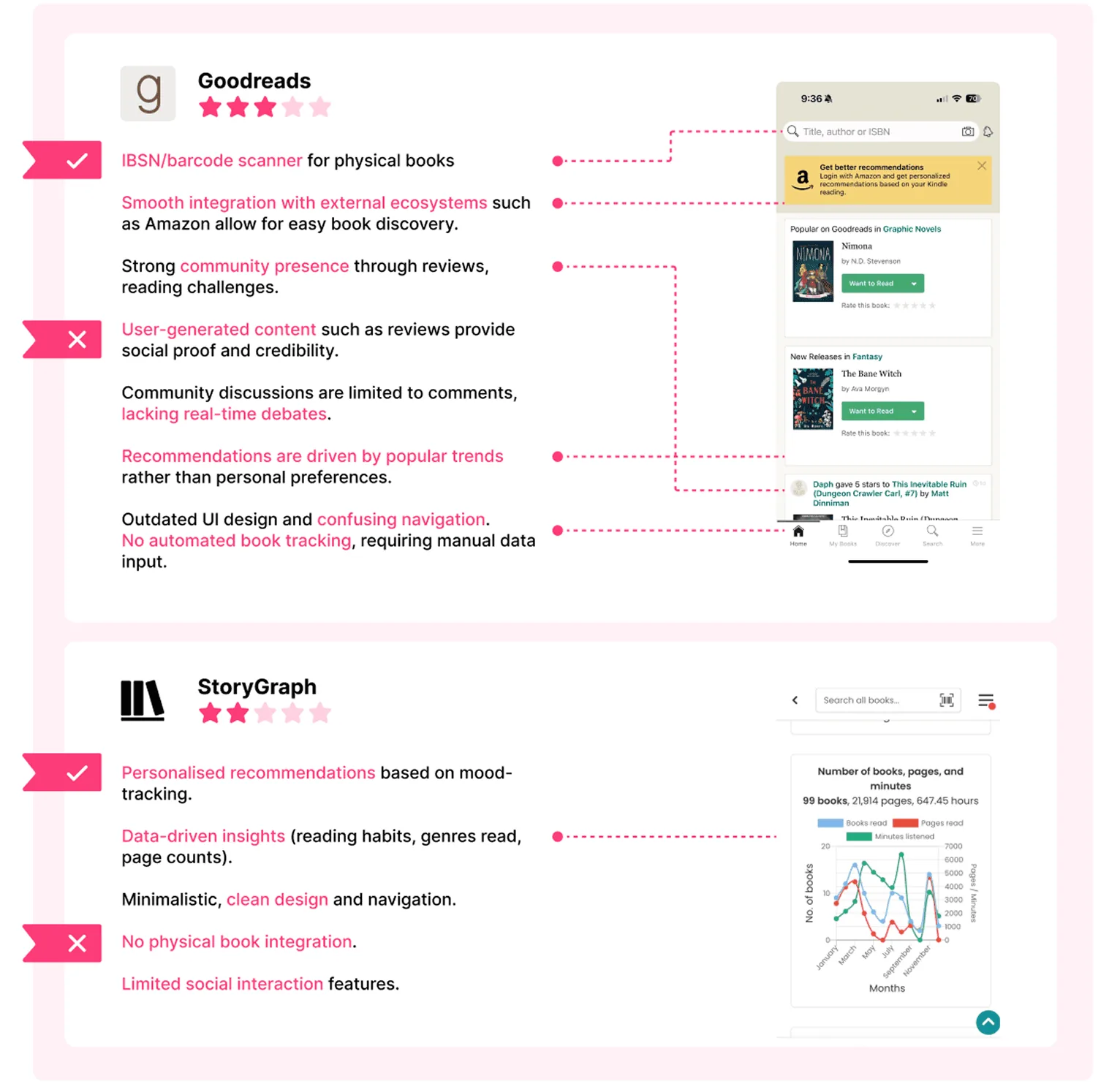
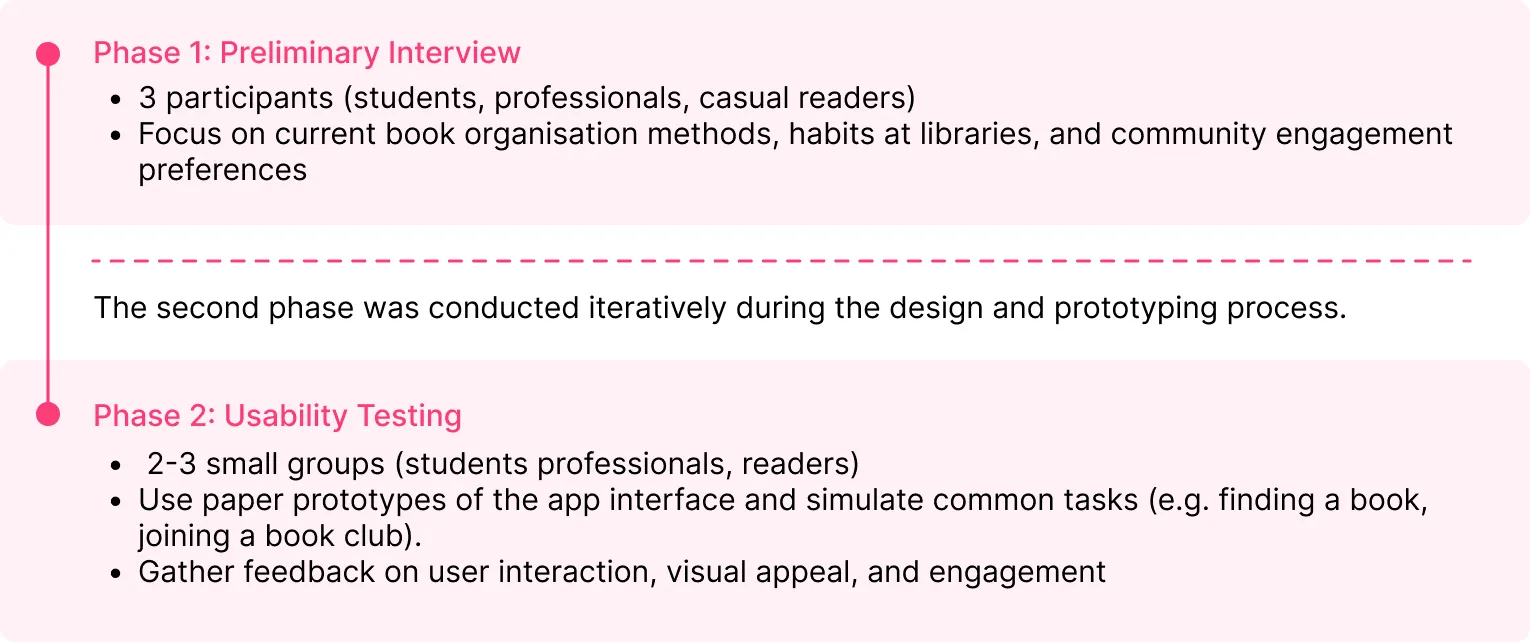
In order to uncover key user needs and pain points, semi-structured interviews were conducted with 3 participants, including students, working professionals, and avid readers. These were found to allow for in-depth flexible conversations that surveys might miss out on.
The following research plan was formed for this project:
RESEARCH SYNTHESIS
Synthesising the most important points and observations revealed the following key insights:
- ☕ Readers want book apps to feel cozy, not corporate.
- 📱 Manual entry is the biggest barrier to continued use.
- 🔒 There is a need for safe, moderated community spaces.
- 📚 Recommendations must go beyond basic genre filters.
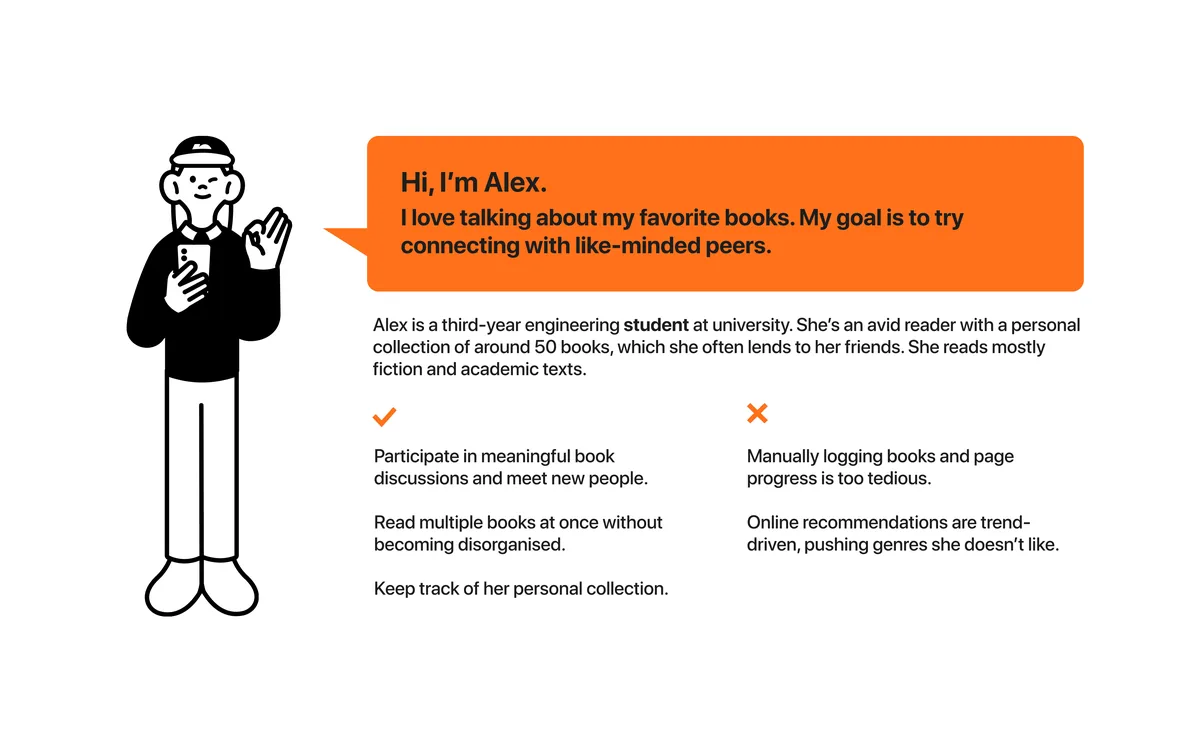
We also see 2 groups with differing needs, depending on their age group, occupation, and reading goals/habits. These are organised into the following user personas (carousel, 2 slides):
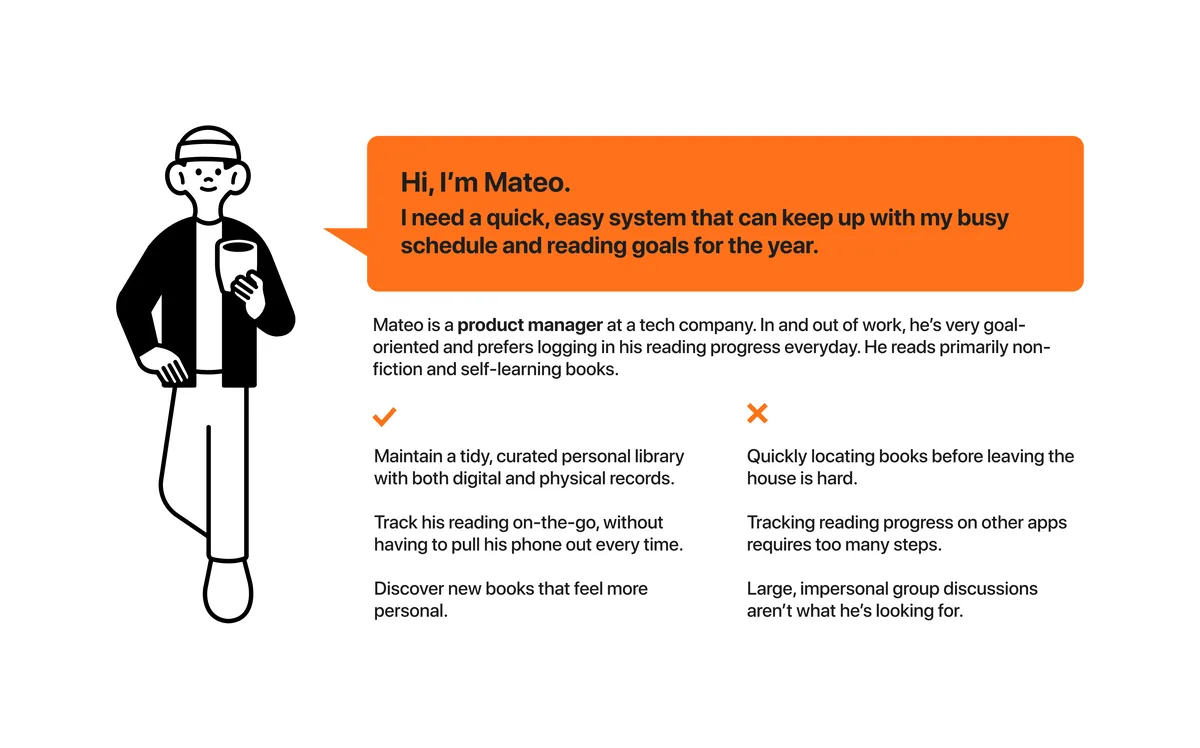
Insights ➜ design goals:
- ✅ Create a playful, modern UI that feels emotionally warm.
- ✅ Automate book logging via IoT (RFID bookmarks & smart shelves)
- ✅ Offer safe, interest-based community spaces for book discussions.
- ✅ Personalise discovery through an AI-driven book personality quiz.
In order to define the design goals, I first developed a unique value proposition that directly addressed the key insights from research and the needs of each persona.
USER SCENARIOS & FLOWS
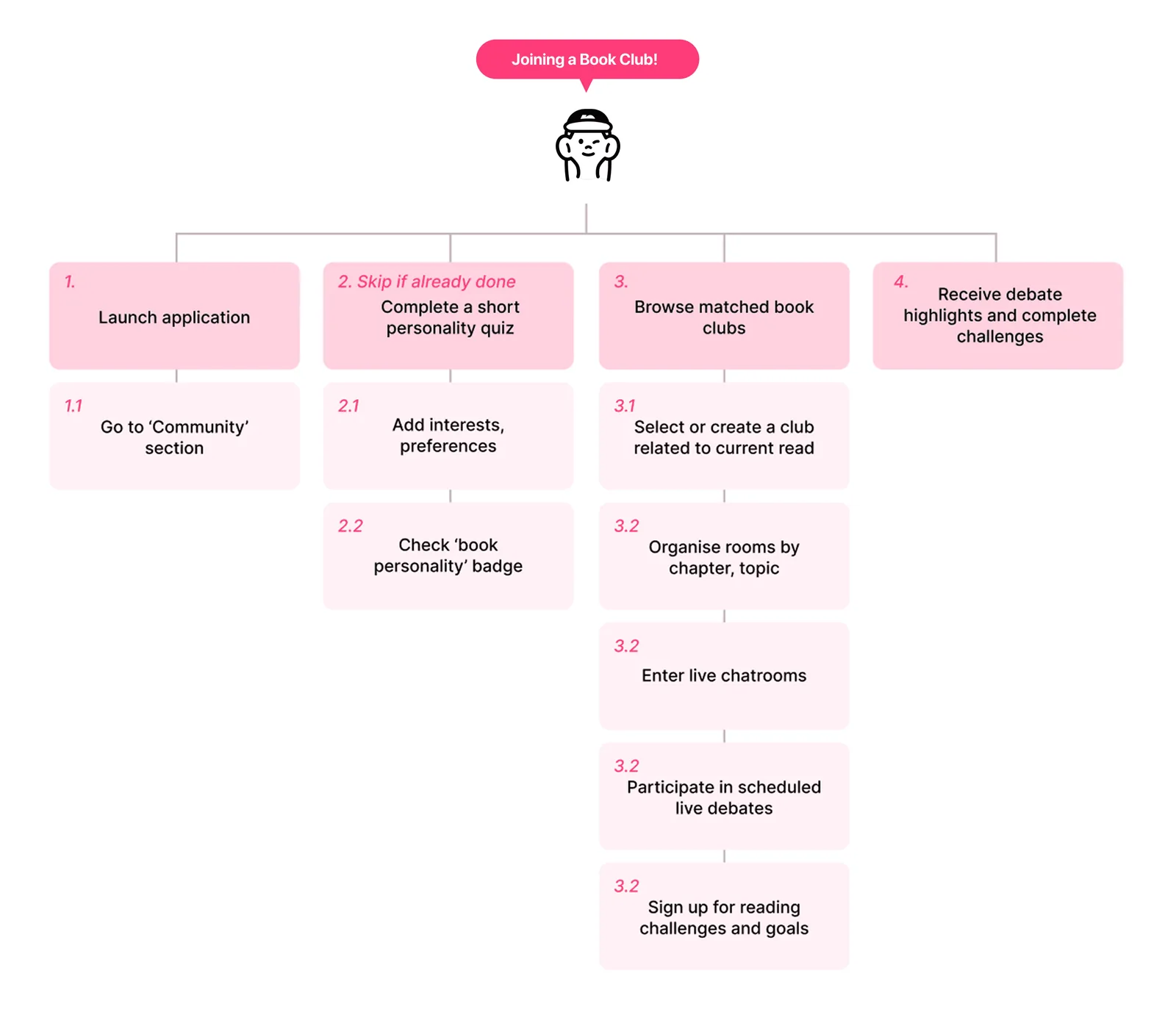
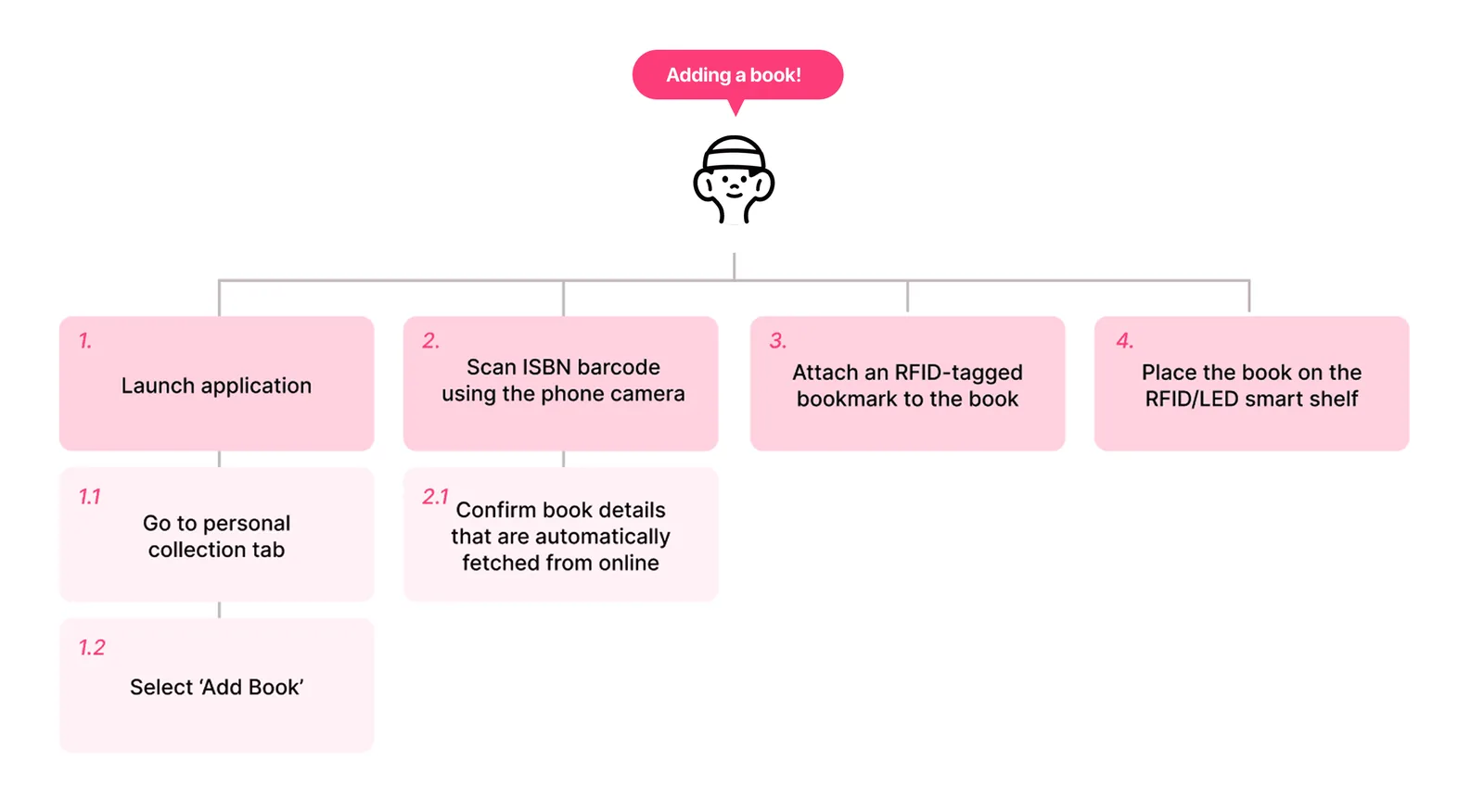
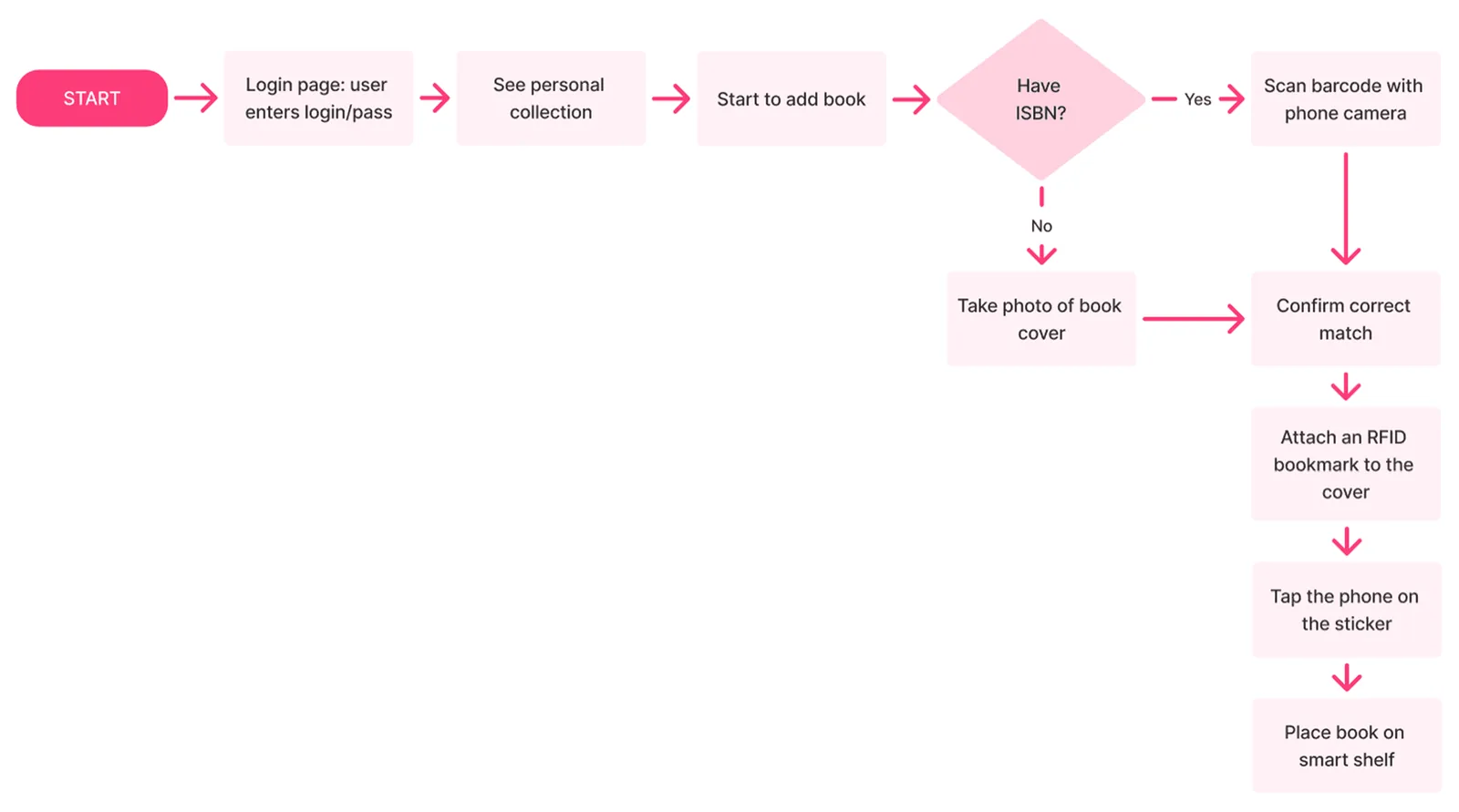
User scenarios were created based on developed personas to illustrate key tasks: (1) Adding a book via smart bookmark or scan, (2) joining a book club based on the user’s personality profile. These scenarios guided the development of user flows for prototyping and testing.
Carousel 1:
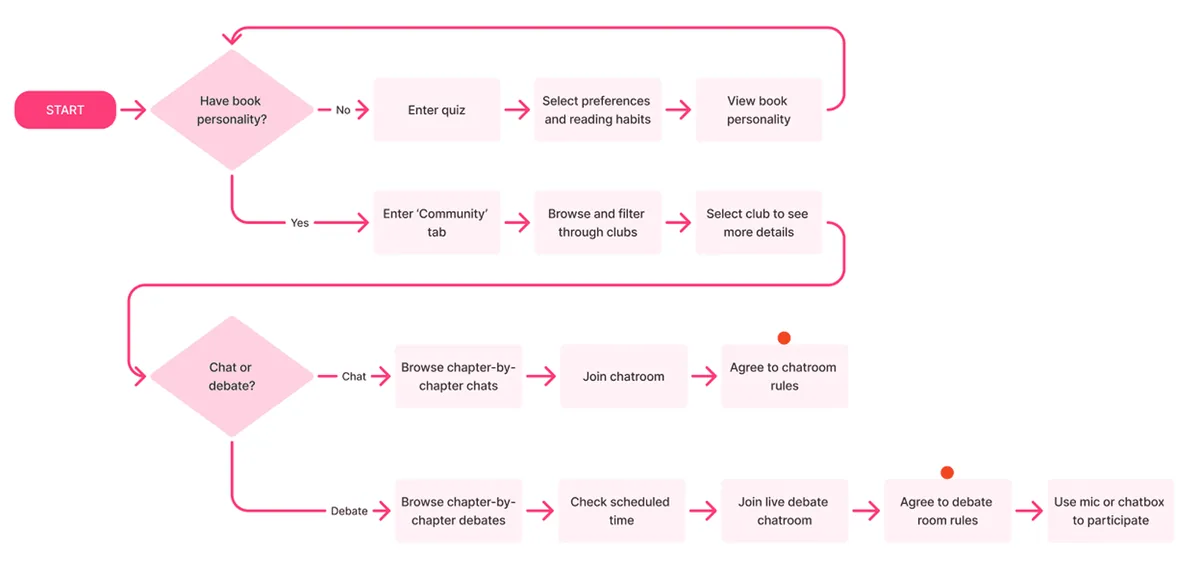
Carousel 2:
WIREFRAMING
To visualise the tasks, wireframe sketches were made for the following key scenes: (1) Book Personality Quiz, (2) ‘My Library’ Tab, (3) ‘Community’ Tab.
User feedback focused on various usability aspects including:
- 🔍 Visibility of navigation buttons
- 🔍 Intuitiveness of scrollable sections
- 🔍 Placement of essential components (e.g. search bar)
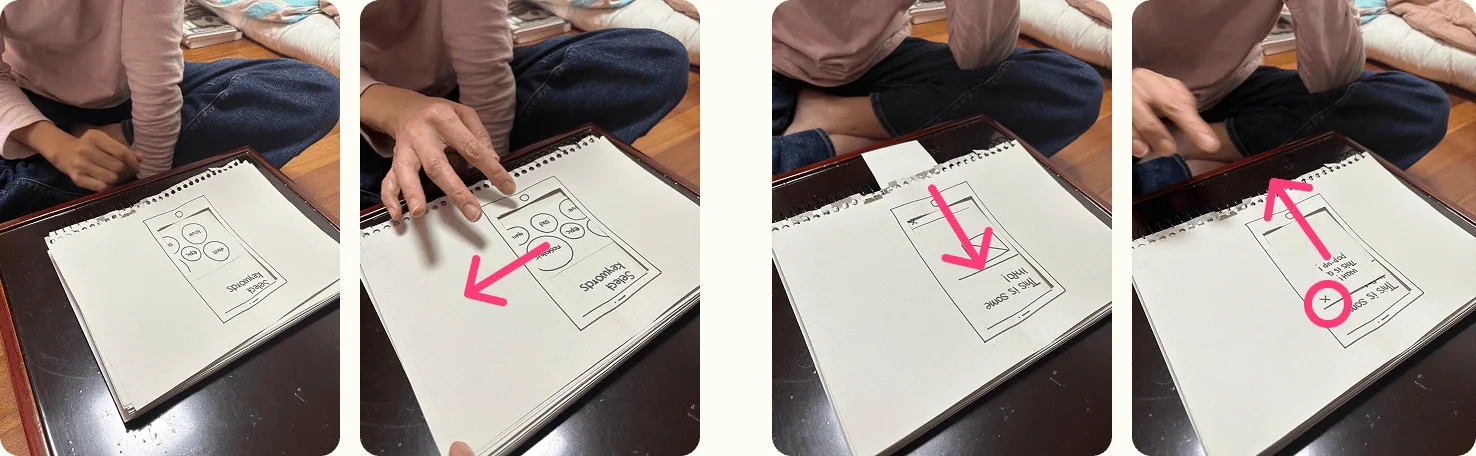
It is noted that the initial sketches were intentionally basic to focus on functionality rather than aesthetics. However, this simplicity may have limited context during feedback sessions.
ITERATIVE DESIGN
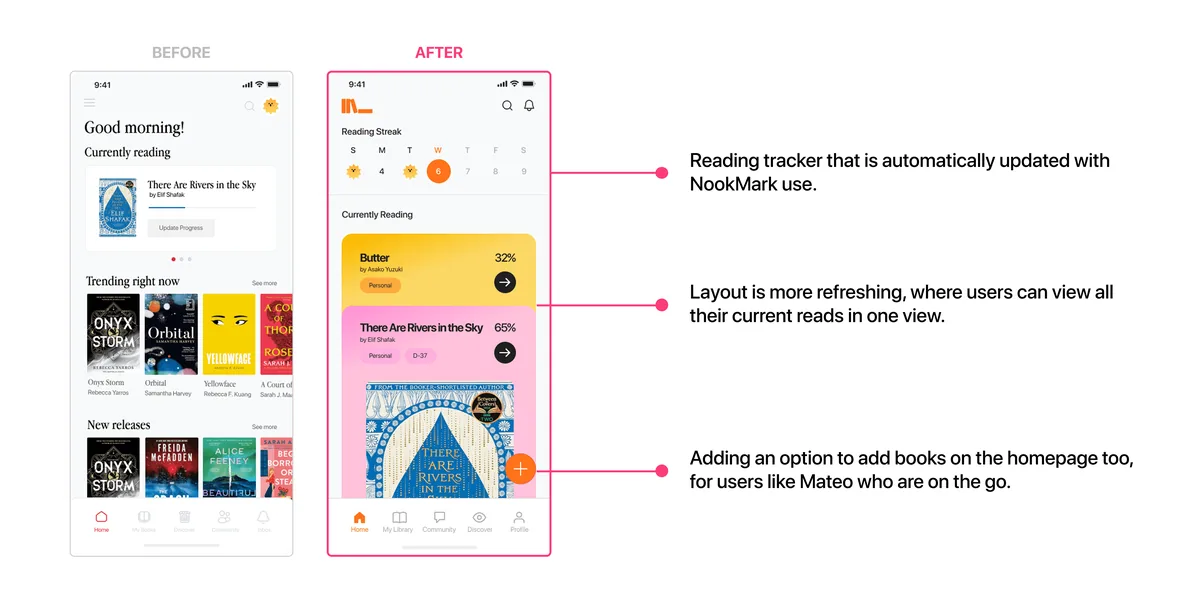
User testing prompted the following changes:
- ✏️ Moving the quiz to onboarding to boost engagement.
- ✏️ Adding a homepage with a quick-view reading tracker.
- ✏️ Using more dividers and colour accents to guide the eye.
- ✏️ Giving book clubs a blog-style layout with blurred previews for safety.
HI-FI PROTOTYPE
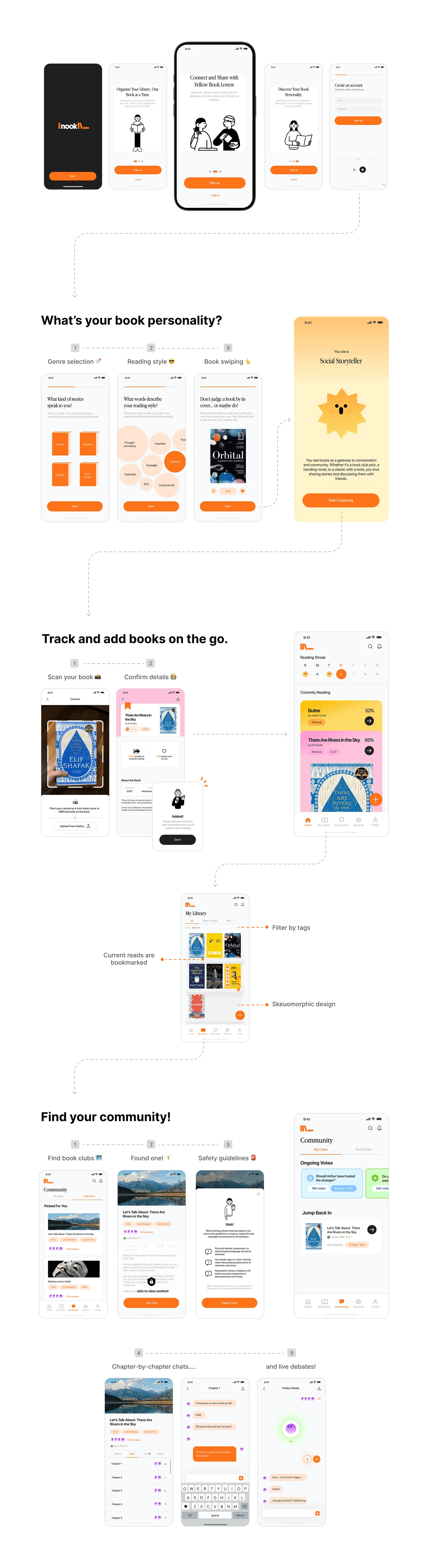
The final Nook ecosystem consists of:
- ✅ A mobile app with four main tabs (Home, My Library, Explore, Community).
- ✅ A NookMark bookmark that automatically updates reading progress.
- ✅ Smart shelf (future scope) with RFID and LED indicators for quick book location.
The hi-fidelity prototyping process was non-linear, with multiple user feedback sessions in between to improve usability and user experience.
CONCLUSIONS
Using the same tasks from my first usability test, I gathered feedback from 6 participants:
- 👐 80% described the UI as calming and inviting.
- ↔️ Swipe interactions were unclear for some → Added “Swipe left or right” prompt.
- 📈 Homepage redesign improved perceived efficiency for busy users.
After making the final tweaks, the final prototype was developed on Figma ➜ try it out! 👈
Feedback proves that the final design brings together physical and digital library management, combining an emotional design style that connects with users’ reading values and solid safety features for community spaces. That said, if it were to be developed into a full app, it would need to handle scalability better for large collections and include more advanced sorting and filtering for long-term use.
Overall, this project was a great chance for me to practice end-to-end app design. I learned how important emotional resonance is for keeping people engaged, how moving certain features earlier in the flow can really boost adoption, and how iterative testing helps catch usability issues before they become bigger problems.